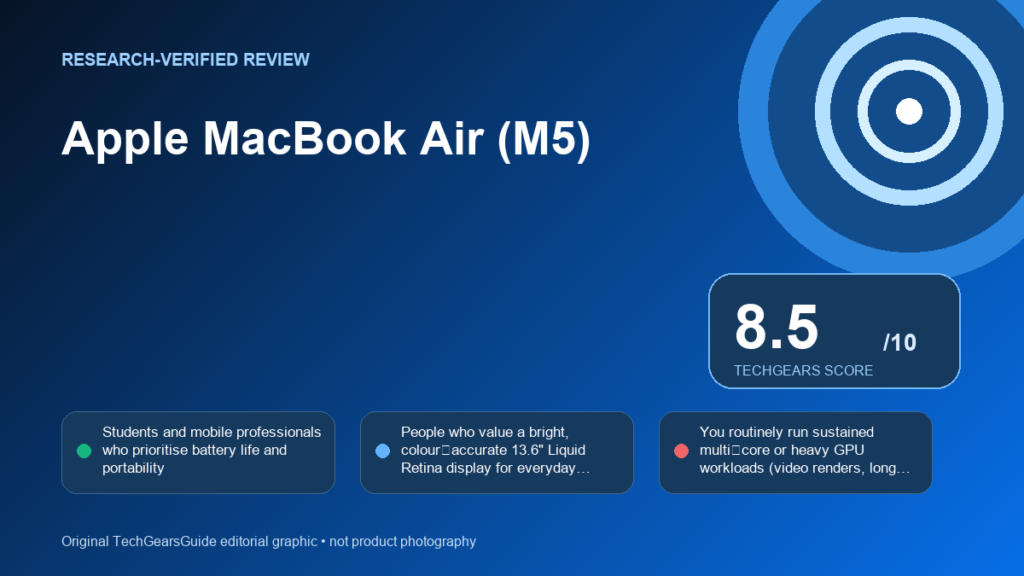
The M5 MacBook Air (MDHG4) tightens performance and keeps the fanless, ultraportable formula: best for long battery life and a bright Retina display, less suited to prolonged heavy multi‑core/GPU work.
Method: TechGearsGuide did not physically test this unit. This assessment combines official documentation with attributed independent test results.
Quick verdict
For most UAE buyers who prioritise portability, long battery life and a bright, colour‑accurate display, the M5 MacBook Air (MDHG4) is a strong pick. If your work requires sustained multi‑core or long GPU bursts, a ventilated MacBook Pro will deliver better sustained throughput.
Best for
- Students and mobile professionals who prioritise battery life and portability
- People who value a bright, colour‑accurate 13.6" Liquid Retina display for everyday photo/video editing and media
- Users who want a quiet, fanless laptop for meetings and shared workspaces
Avoid if
- You routinely run sustained multi‑core or heavy GPU workloads (video renders, long GPU compute) where throttling matters
- You need extensive ports on both sides of the chassis or many full‑size USB ports
Pros
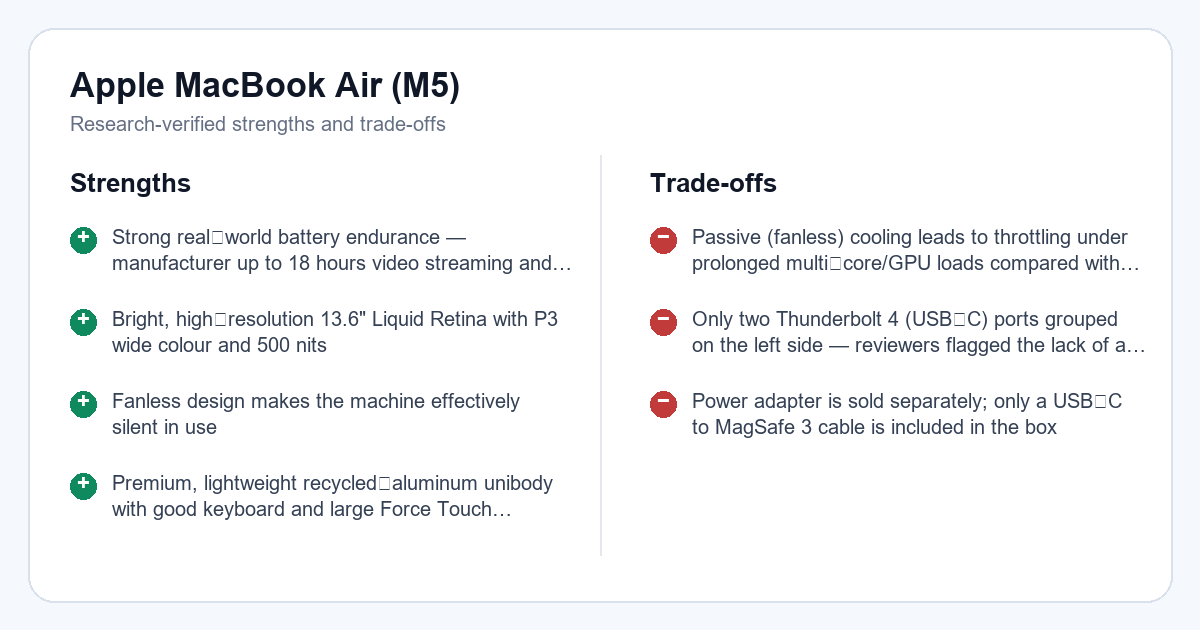
- Strong real‑world battery endurance — manufacturer up to 18 hours video streaming and independent ~18‑hour local 4K loop result reported
- Bright, high‑resolution 13.6" Liquid Retina with P3 wide colour and 500 nits
- Fanless design makes the machine effectively silent in use
- Premium, lightweight recycled‑aluminum unibody with good keyboard and large Force Touch trackpad
- Improved CPU and GPU generation-on-generation uplift vs M4 in published benchmarks
Cons
- Passive (fanless) cooling leads to throttling under prolonged multi‑core/GPU loads compared with ventilated MacBook Pro models
- Only two Thunderbolt 4 (USB‑C) ports grouped on the left side — reviewers flagged the lack of a right‑side USB‑C as an annoyance
- Power adapter is sold separately; only a USB‑C to MagSafe 3 cable is included in the box
Affiliate link: As an Amazon Associate I earn from qualifying purchases.
Product details
- Brand
- Apple
- Model
- MDHG4
- Reviewed configuration
- M5 10-core CPU/10-core GPU family, 24GB unified memory, 1TB SSD, Midnight, English
- Amazon.ae ASIN
- B0GR19YBSC
Key specifications
| Display brightness | 500 nits |
|---|---|
| Display resolution | 2560×1664 |
| Display size | 13.6 inch |
| Chip name | Apple M5 |
| Memory bandwidth | 153 GB/s |
| Memory configurable to | 24 or 32 GB |
| Memory default | 16 GB |
| Storage configurable to | 1, 2 or 4 TB |
| Storage default | 512 GB |
| Battery capacity | 53.8 Wh |
Category scores
Apple's M5 SoC with a 10‑core CPU and configurable 10‑core GPU delivers measurable single‑ and multi‑core uplifts over M4; independent benchmarks and faster SSD throughput back this up, but the fanless chassis reduces sustained multi‑core/GPU throughput under…[1][2][3][5]
13.6" Liquid Retina at 2560×1664 with P3 wide colour, support for 1 billion colours and 500 nits makes the panel bright and colour‑capable for photo/video and general use.[1]
Apple's listed 53.8 Wh battery and manufacturer run times align with independent testing showing ~18 hours in a local 4K playback loop and solid mixed‑use results, supporting excellent real‑world endurance for mobile use.[1][2]
Reviewers consistently praise the backlit keyboard and large Force Touch trackpad; the chassis remains very portable at roughly 1.23–1.24 kg and slim dimensions.[1][3][4]
Official I/O includes MagSafe 3, two Thunderbolt 4 (USB‑C) ports and a 3.5 mm jack plus Wi‑Fi 7/Bluetooth 6 support — functional but reviewers note the left‑side grouping and lack of a right‑side USB‑C port can be inconvenient for some setups.[1][3][4]
Design and portability
The M5 MacBook Air preserves the thin, recycled‑aluminum unibody and compact dimensions (height ~1.13 cm, width ~30.41 cm, depth ~21.5 cm) and remains one of the lightest mainstream 13‑inch ultraportables at ~1.23 kg. Multiple reviewers note the overall chassis feels premium while staying highly portable for commuting and travel.[1][3][4]
Display
Apple specifies a 13.6" Liquid Retina panel at 2560×1664 (224 ppi) with support for 1 billion colours, P3 wide colour gamut and 500 nits brightness; that combination makes the screen well suited to photo and video work on the go and for bright indoor/outdoor use.[1]
Performance
This MDHG4‑identified configuration uses the Apple M5 SoC with a 10‑core CPU (4 performance + 6 efficiency) and configurable GPU up to 10 cores. Independent benchmarks show roughly a mid‑teens percentage uplift in CPU and a larger GPU boost versus the previous generation; storage throughput measurements from independent testing are also strong. However, the passive cooling design limits sustained multi‑core and long GPU bursts compared with ventilated MacBook Pro models.[1][2][3][5]
Thermals and noise
Apple's Air uses a fanless cooling approach that reviewers describe as effectively silent in typical use. Independent reviews caution that passive cooling causes measurable throttling during long multi‑core or GPU‑heavy tasks, so peak short bursts are strong but prolonged workloads will run slower than on cooled MacBook Pro systems.[3][5]
Keyboard and trackpad
Reviewers consistently praise the backlit keyboard and large Force Touch trackpad as comfortable and well‑implemented; the typing experience and trackpad reliability remain strengths for productivity on the Air.[3][4]
Ports and connectivity
Official specs list MagSafe 3 charging, two Thunderbolt 4 (USB‑C) ports supporting Charging, DisplayPort and USB4/Thunderbolt 4, plus a 3.5 mm headphone jack. The wireless subsystem is updated to Apple N1 supporting Wi‑Fi 7 (802.11be), Bluetooth 6 and Thread. Reviewers pointed out both Thunderbolt ports are grouped on the left side, which some find inconvenient for certain dock or desk layouts.[1][3][4]
Battery and efficiency
Apple lists a 53.8 Wh battery with manufacturer claims up to 18 hours of video streaming and up to 15 hours of wireless web browsing. Independent testing reported by Engadget showed roughly 18 hours in a local 4K video loop at 50% brightness and around 10 hours in a mixed‑use working session, corroborating very strong endurance for mobile workflows.[1][2]
Buyer considerations
Choose the M5 Air (MDHG4) if you prioritise long battery life, a bright and colour‑capable display, low noise and a very portable chassis. If your typical workflow includes prolonged multi‑core renders or extended GPU workloads, consider a ventilated MacBook Pro instead because the Air’s passive cooling will reduce sustained throughput. Also note Apple ships the MacBook Air with a USB‑C to MagSafe 3 cable while the power adapter is sold separately; confirm local UAE seller warranty and accessory bundling when you buy.[1][3][5]
Final verdict
The M5 MacBook Air (MDHG4) tightens the Air formula with a faster M5 SoC, improved GPU options, a brighter Liquid Retina display and excellent battery life, while retaining a premium, lightweight design. It is an excellent choice for students, mobile professionals and anyone who values long battery life and a quiet device; avoid it if you need sustained high multi‑core or GPU performance for long sessions.[1][2][3][5]
Affiliate link: As an Amazon Associate I earn from qualifying purchases.
Methodology and evidence
TechGearsGuide did not physically test this unit. This research-verified review uses official documentation from Apple Support — MacBook Air (13-inch, M5) Tech Specs / Identify your MacBook Air model and Apple Newsroom — "Apple introduces the new MacBook Air with M5" (Apple UAE Newsroom, Mar 3 2026) for identity/specification context and attributed independent testing from Engadget — "MacBook Air M5 review: Same but faster" (Mar 13, 2026), WIRED — "Apple MacBook Air (M5) Review: The Goldilocks MacBook" (Mar 19, 2026), TechRadar — "Apple MacBook Air 13-inch (M5) review" (Mar 2026), and Ars Technica — "M5 MacBook Air review: Still the best MacBook for almost everybody" (Mar 13, 2026). Variant-sensitive facts are tied to the reviewed UAE/exact configuration when exact or regional official evidence is available; family/global evidence is used only as scoped context. Where cited sources disagree, the disagreement is reported rather than silently merged. Confirm local warranty and the exact UAE configuration before purchase.
- Apple Support — MacBook Air (13-inch, M5) Tech Specs / Identify your MacBook Air model (official manufacturer evidence; accessed August 25, 2026)
- Engadget — "MacBook Air M5 review: Same but faster" (Mar 13, 2026) (independent review/testing; accessed August 25, 2026)
- WIRED — "Apple MacBook Air (M5) Review: The Goldilocks MacBook" (Mar 19, 2026) (independent review/testing; accessed August 25, 2026)
- TechRadar — "Apple MacBook Air 13-inch (M5) review" (Mar 2026) (independent review/testing; accessed August 25, 2026)
- Ars Technica — "M5 MacBook Air review: Still the best MacBook for almost everybody" (Mar 13, 2026) (independent review/testing; accessed August 25, 2026)
- Apple Newsroom — "Apple introduces the new MacBook Air with M5" (Apple UAE Newsroom, Mar 3 2026) (official manufacturer evidence; accessed August 25, 2026)
This research-verified review is maintained by TechGearsGuide and updated when material evidence changes. The editorial score does not change with short-term retailer promotions.