Detailed, evidence-backed look at the Logitech MX Master 3S: Darkfield tracking, MagSpeed wheel, long battery life and what to weigh before buying in the UAE.
Method: TechGearsGuide did not physically test this unit. This assessment combines official documentation with attributed independent test results.
Quick verdict
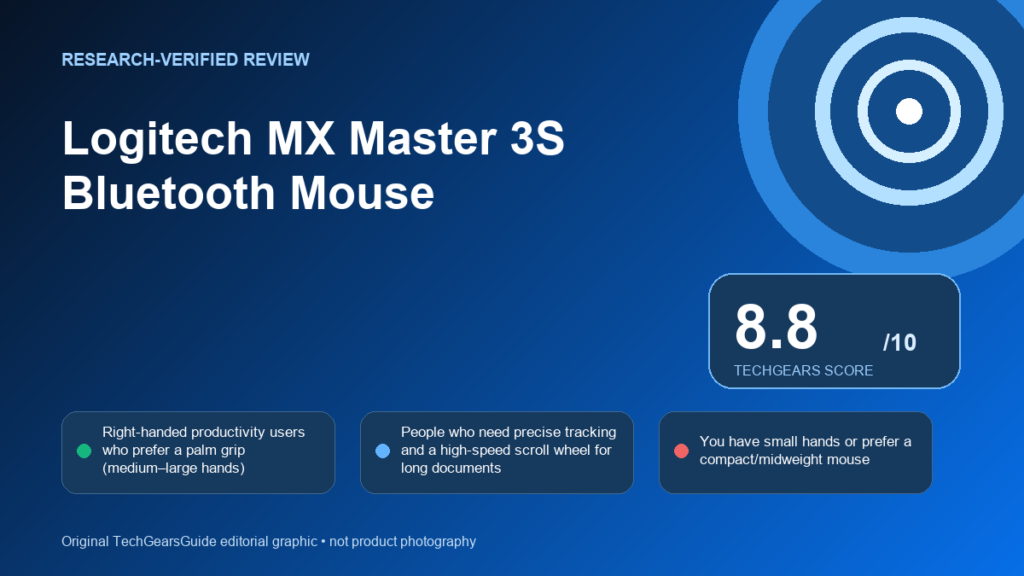
The MX Master 3S is a top pick for right-handed productivity users who value precision tracking, a high-performance MagSpeed wheel and long battery life; avoid it if you need a lightweight, ambidextrous mouse or require Unifying-receiver compatibility.
Best for
- Right-handed productivity users who prefer a palm grip (medium–large hands)
- People who need precise tracking and a high-speed scroll wheel for long documents
- Users who switch among multiple computers and want Flow-style cross‑PC workflows
Avoid if
- You have small hands or prefer a compact/midweight mouse
- You are left-handed or need ambidextrous control
- You rely on the older Logitech Unifying Receiver and require backward compatibility
Pros
- Strong Darkfield tracking that handles difficult surfaces (including glass) according to multiple reviews
- MagSpeed electromagnetic scroll wheel with precise ratchet and free-spin modes
- Long rechargeable battery life with a fast one‑minute quick charge claim
- Rich button set and app-specific customization via Logi Options+
- Multi-device pairing and Flow support for moving between computers
Cons
- Heavier than many competitors — may be fatiguing for some users
- Primary clicks are much quieter with a softer feel that some users find divisive
- Device-switch button is on the underside and hard to reach in practice
- Uses Logi Bolt (not backward-compatible with the Unifying Receiver)
- Cannot act as a wired USB mouse for data operation (charges via USB‑C only)
Affiliate link: As an Amazon Associate I earn from qualifying purchases.
Product details
- Brand
- Logitech
- Model
- 910-007500
Key specifications
| Battery capacity | 500 mAh |
|---|---|
| Battery life claim | 70 days |
| Dimensions depth | 51 mm |
| Dimensions height | 124.9 mm |
| Dimensions width | 84.3 mm |
| Weight | 141 g |
| Buttons count | 7 count |
| Dpi range max | 8000 dpi |
| Dpi range min | 200 dpi |
| Gesture button | Yes |
Category scores
Reviewers report strong right-handed palm-grip ergonomics and a pronounced hump sized for medium-to-large hands, but the device is relatively heavy and can be uncomfortable for smaller hands or left-handed users.[1][2][3][4][5]
Independent reviews note the upgraded Darkfield sensor reaches 8,000 DPI and tracks reliably on difficult surfaces such as glass; the MagSpeed wheel provides accurate, high-speed and precise scrolling.[3][4][5]
Manufacturer lists seven customizable buttons including a thumbwheel; reviewers praise the productivity-focused controls but warn that the quieter primary switches have a softer, polarizing feel and customization requires software.[1][2][3][4][5]
The mouse supports Logi Bolt and Bluetooth LE and can pair to up to three devices with Flow for cross‑PC workflows; reviewers call out the underside device‑switch button as awkward and note Logi Bolt is not compatible with older Unifying receivers.[1][2][3][4]
Logitech lists a 500 mAh rechargeable battery with up to 70 days per charge and a one‑minute quick‑charge claim; independent reviews observed long real‑world runtimes consistent with those claims, though the mouse charges via USB‑C and cannot operate as a wir…[1][2][3][4][5]
Key verified specs
Numbers cited by Logitech and independent reviews
Design and ergonomics
Logitech positions the MX Master 3S as a right-handed productivity mouse with a pronounced hump and medium-to-large sizing; manufacturer dimensions and weight are listed and reviewers (Ars Technica, Tom's Hardware, TechRadar) describe it as comfortable for palm‑grip users but potentially awkward for smaller hands and unsuitable for left-handed users. Reviewers also note the mouse is heavier than many competing productivity mice, which is an important comfort consideration.[1][2][3][4][5]
Tracking and control
Logitech states the MX Master 3S uses Darkfield high‑precision tracking. Independent reviews from Ars Technica, Tom's Hardware and TechRadar report the upgraded sensor reaches a maximum of 8,000 DPI and tracks accurately on difficult surfaces such as glass, making it reliable for detailed pointer work.[1][2][3][4][5]
Buttons and productivity
Manufacturer documentation lists seven buttons and a thumb wheel intended for app‑specific shortcuts and gesture controls. Reviewers confirm the extensive control layout and customization potential but flag that the new primary switches are much quieter with a softer feel that some users find divisive; many productivity workflows benefit from the extra controls when paired with Logi Options+.[1][2][3][4][5]
Connectivity and device switching
Logitech documents Logi Bolt USB receiver and Bluetooth Low Energy support and notes multi‑device pairing. Reviewers show the mouse can pair with up to three devices and use Flow to move cursors and files between PCs, but they also criticise the physical device‑switch button located on the underside as hard to reach. Tom's Hardware additionally warns that Logi Bolt is not backward‑compatible with the older Unifying Receiver.[1][2][3][4]
Battery and charging
Logitech lists a 500 mAh rechargeable battery with a manufacturer claim of up to 70 days per full charge and a one‑minute quick charge delivering roughly three hours of use. Independent reviews recorded long real‑world runtimes (Ars Technica, Tom's Hardware, TechRadar) that align with the manufacturer’s long‑life claim; reviewers also report the mouse charges via USB‑C but is not usable as a wired USB data device even while charging.[1][2][3][4][5]
Software and customization
Logitech promotes Logi Options+ for Windows and macOS as the customization tool for button mapping, app‑specific settings and Flow; reviewers confirm Options+ offers extensive customization and cloud backup but note there is no onboard memory to carry settings without the software installed.[1][2][3][4]
Buyer considerations
The MX Master 3S packs features that typically align with a premium productivity price: advanced Darkfield tracking, MagSpeed wheel, many programmable buttons, and long battery life. Check the current retailer offer and confirm applicable local warranty and return terms before purchase.[3][4][5][6][7]
Final verdict
For right‑handed productivity users with medium-to-large hands who prioritise precise tracking, a versatile MagSpeed wheel and long battery life, the MX Master 3S is a strong recommendation. If you need an ambidextrous or very lightweight mouse, require Unifying Receiver compatibility, or prefer a firmer, louder primary click, consider other options.[3][4][5]
Affiliate link: As an Amazon Associate I earn from qualifying purchases.
Methodology and evidence
TechGearsGuide did not physically test this unit. This research-verified review uses official documentation from Logitech — MX Master 3S product page (MX Master 3S / MX Master 3S for Business product listing) and Logitech — MX Master 3S (Specification / Support + Download) article for identity/specification context and attributed independent testing from Ars Technica — "Logitech MX Master 3S review: The best wireless mouse gets slightly better", Tom's Hardware — Logitech MX Master 3S Mouse Review (hands-on / performance analysis), and TechRadar — Logitech MX Master 3S review (product-focused hands-on review). Variant-sensitive facts are tied to the reviewed UAE/exact configuration when exact or regional official evidence is available; family/global evidence is used only as scoped context. Where cited sources disagree, the disagreement is reported rather than silently merged. Confirm local warranty and the exact UAE configuration before purchase.
- Logitech — MX Master 3S product page (MX Master 3S / MX Master 3S for Business product listing) (official manufacturer evidence; accessed August 3, 2026)
- Logitech — MX Master 3S (Specification / Support + Download) article (official manual/support evidence; accessed August 3, 2026)
- Ars Technica — "Logitech MX Master 3S review: The best wireless mouse gets slightly better" (independent review/testing; accessed August 3, 2026)
- Tom's Hardware — Logitech MX Master 3S Mouse Review (hands-on / performance analysis) (independent review/testing; accessed August 3, 2026)
- TechRadar — Logitech MX Master 3S review (product-focused hands-on review) (independent review/testing; accessed August 3, 2026)
- Candidate discovery retailer — uae.sharafdg.com (retailer identity context only; accessed August 5, 2026)
- OrionWave (store.orionwave.ae) (retailer identity context only; accessed August 5, 2026)
This research-verified review is maintained by TechGearsGuide and updated when material evidence changes. The editorial score does not change with short-term retailer promotions.